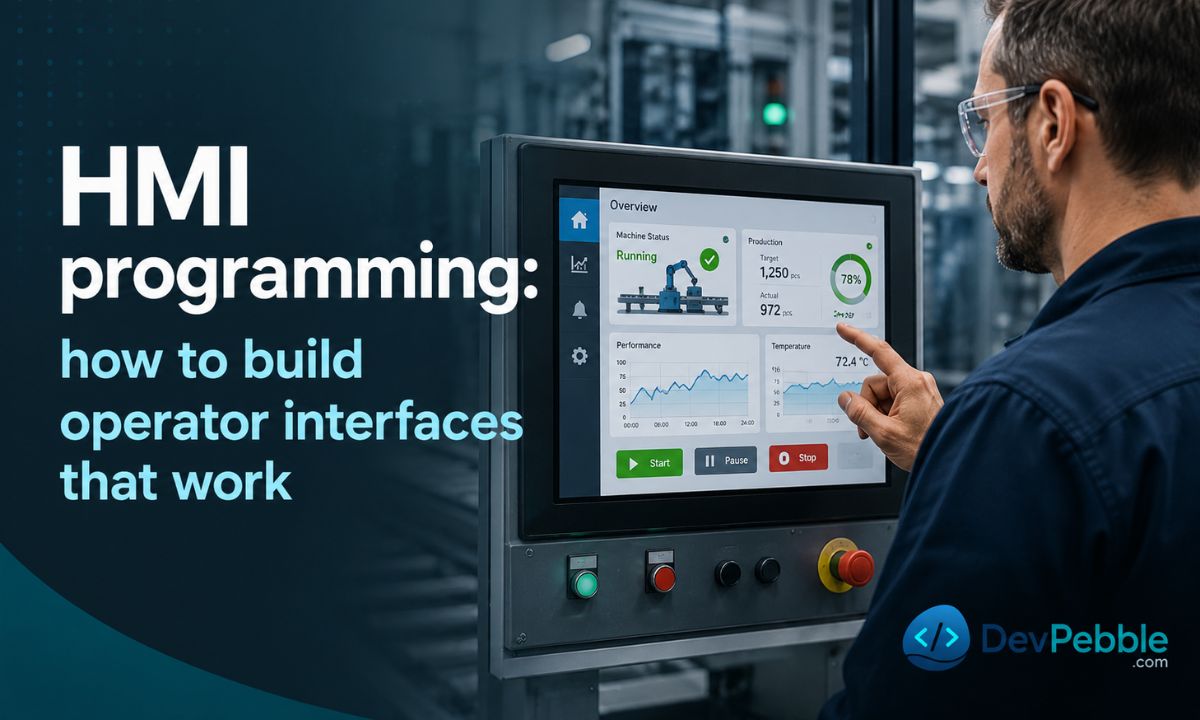
HMI programming: how to build operator interfaces that work
A practical guide to HMI programming — what it is, how it differs from PLC programming, the hardware, software, and languages involved, and how to design screens, connect to a PLC, configure tags, alarms, recipes, and trends, and choose a platform.
On this page⌄
- What HMI programming is and how it works
- HMI programming vs PLC programming
- Hardware and software you need
- Programming languages used in HMI development
- How to design an HMI screen
- How to connect an HMI to a PLC
- How to create tags, alarms, recipes, and trends
- Best HMI software and platforms
- Common HMI errors and how to fix them
- How to learn HMI programming: roadmap, careers, and what comes next
- FAQ
Most people meet an HMI without realizing it: the touchscreen on a bottling line, the panel on a water treatment skid, the screen a technician squints at while a pump trips at 2am. HMI programming is the work behind those screens. Done well, an operator glances at a display and knows instantly whether the process is healthy; done badly, the same operator drowns in nuisance alarms and ends up guessing.
What HMI programming is and how it works
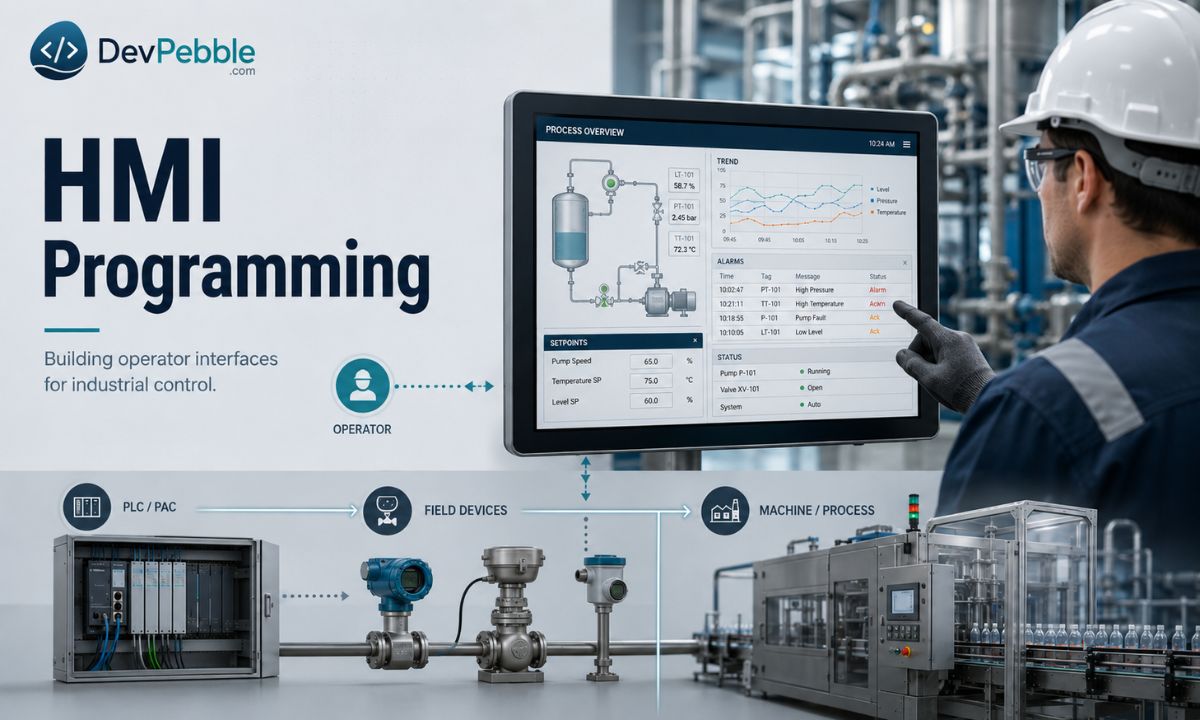
HMI programming is the work of configuring and building a human-machine interface: the graphical application that lets plant operators monitor an automated process and send commands through a touchscreen or display. The HMI turns raw controller data into something a person can read at a glance, like process diagrams, live trends, alarm tables, and setpoint fields, and passes the operator's input back down to the control hardware.
The pieces fit in layers: the operator, the HMI, a PLC (programmable logic controller) or PAC, field devices like sensors and actuators, and the machine. The HMI talks to the PLC over an industrial network, usually PROFINET, EtherNet/IP, Modbus TCP, or OPC UA, trading named variables called tags in both directions. The loop is simple: the operator taps Start Fill, the HMI writes a 1 to the PLC tag START_FILL, the PLC reads that on its next scan and opens the valve, and the HMI reads the feedback tag and redraws the graphic. The operator never touches hardware directly.
One thing surprises newcomers: most HMI development is configuration, not coding. You define tags, build screens, link display objects to tag values, set alarm limits, and configure trends. Scripting shows up only when the built-in toolset cannot do what you need. These applications run wherever automated equipment needs a human watching it, across manufacturing, water treatment, pharmaceuticals, and power generation.
HMI programming vs PLC programming
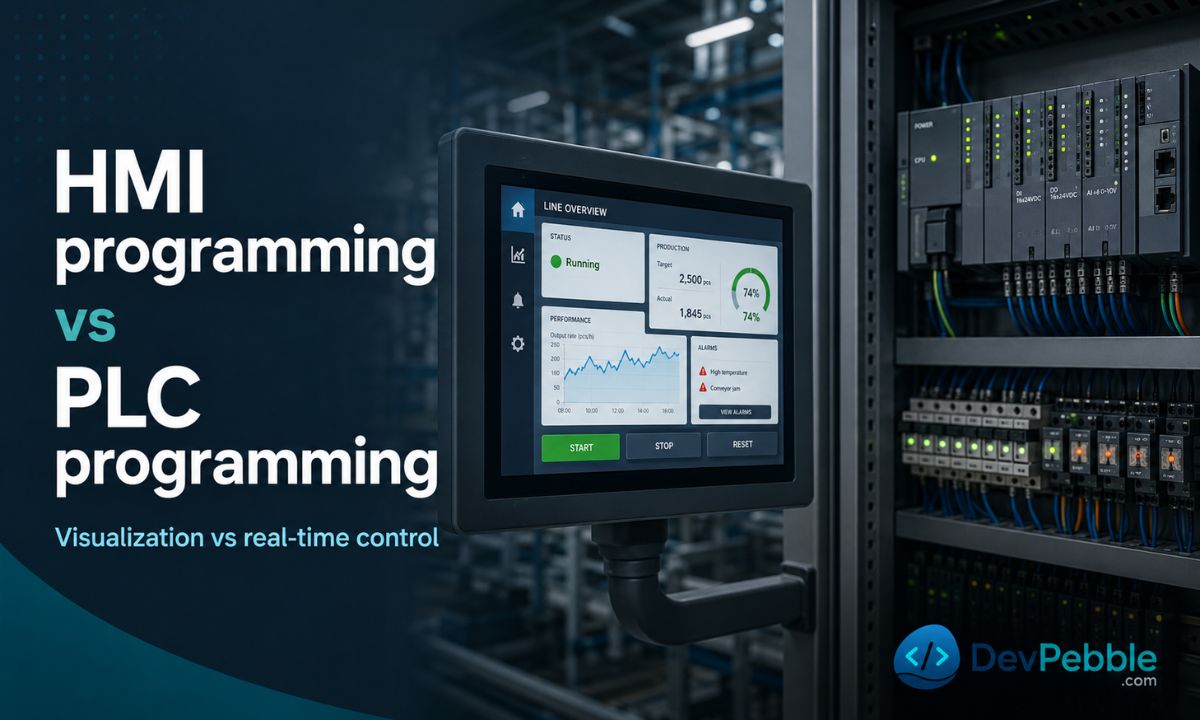
This distinction trips up beginners, and getting it wrong is dangerous. The PLC controls the machine. It reads sensors, runs logic, and drives outputs on a hard scan cycle measured in single-digit milliseconds. Safety interlocks, sequencing, and closed-loop regulation all belong in PLC code.
The HMI shows the machine and collects operator input. It hands commands to the PLC but runs no control logic of its own. If the HMI panel dies, the PLC has to keep running the machine safely without it. So any logic that drives a field device or enforces a safety condition lives in the PLC, never in an HMI script. Put sequencing logic in an HMI and you have built a maintenance headache and a safety hazard at once.
| Dimension | HMI | PLC |
|---|---|---|
| Primary role | Visualization and operator interaction | Real-time machine control |
| Runs on | Panel, IPC, or browser client | Dedicated PLC/PAC hardware |
| Execution model | Event-driven, updates on tag change | Deterministic scan cycle |
| Programming approach | Graphical config plus optional scripting | IEC 61131-3: ladder, FBD, structured text, SFC |
| Output | Graphics, alarms, trends, reports | Digital and analog I/O to field devices |
| Safety-critical logic | Not appropriate | Yes, with proper design |
The PLC programmer usually defines the shared tag database first, then the HMI developer maps screen objects onto those tags. Integrated environments like Siemens TIA Portal put both workflows in one project file, but the split in responsibility still holds.
Hardware and software you need
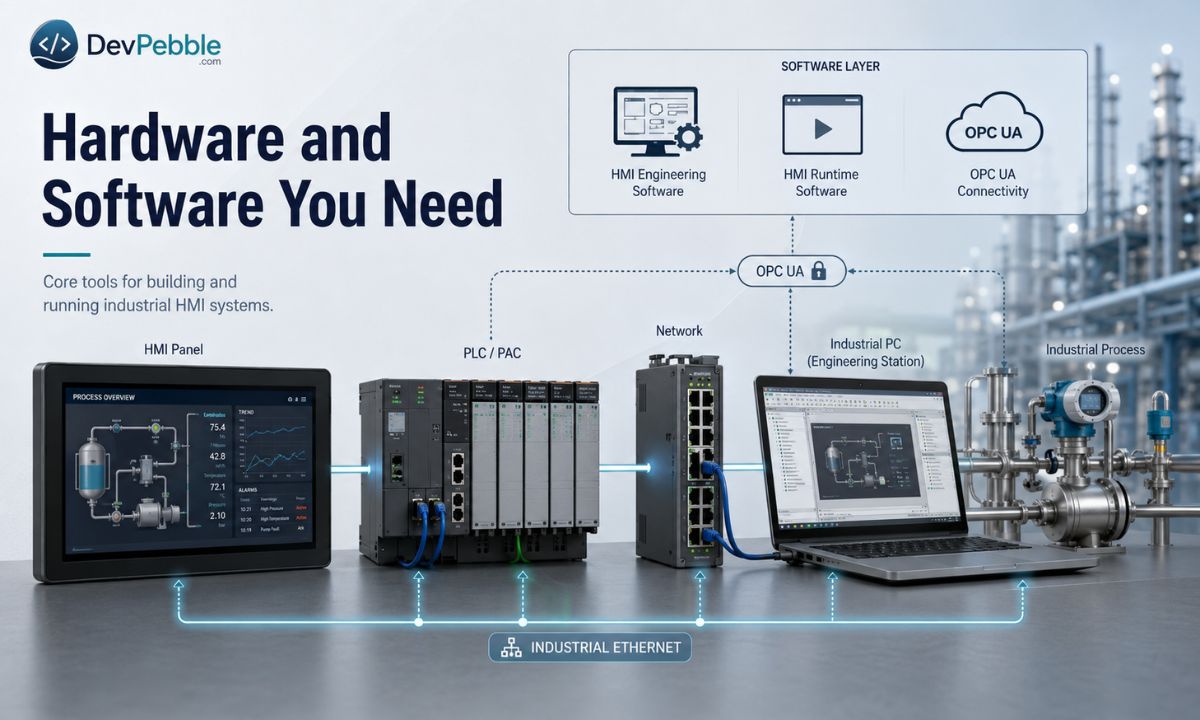
What you need depends on the platform, the PLC family, the network, and how much redundancy the site requires. The general shopping list:
- HMI panels: purpose-built touchscreen terminals on cabinet doors or machine frames, like Siemens SIMATIC HMI Unified, Rockwell PanelView, Schneider Magelis, and Mitsubishi GOT.
- Industrial PCs running Windows IoT with a separate HMI runtime, suited to multi-monitor or web-deployed setups.
- PLCs, PACs, and controllers: the targets every HMI connects to. You need a real or emulated controller throughout development, not just at commissioning.
- An engineering workstation running the vendor's design software.
- Networking gear: managed Ethernet switches, cabling, and serial-to-Ethernet converters for legacy devices.
Three pieces of software matter. HMI engineering software is the design environment where you build screens, tags, alarms, trends, and scripts: Siemens TIA Portal with WinCC Unified, Rockwell FactoryTalk View Studio, Schneider Vijeo Designer, AVEVA InTouch HMI, and Inductive Automation's Ignition Designer are the widely used ones. Runtime software runs the finished application on the target device; it is baked into dedicated panels and licensed separately on IPCs.
The third piece is OPC UA, the preferred open protocol for connecting HMIs to controllers and to higher-level SCADA or MES systems. It gives you vendor-neutral connectivity and built-in security with TLS encryption and certificate-based authentication. Most current PLCs from Siemens, Beckhoff, and Omron speak it natively; where a device does not, a server like PTC KEPServerEX bridges older protocols such as Modbus RTU and PROFIBUS behind a single OPC UA interface.
Watch the licensing. Most vendors charge per device or per tag, while Ignition uses a flat per-server model with no tag limit, which changes the math on large installations.
Programming languages used in HMI development
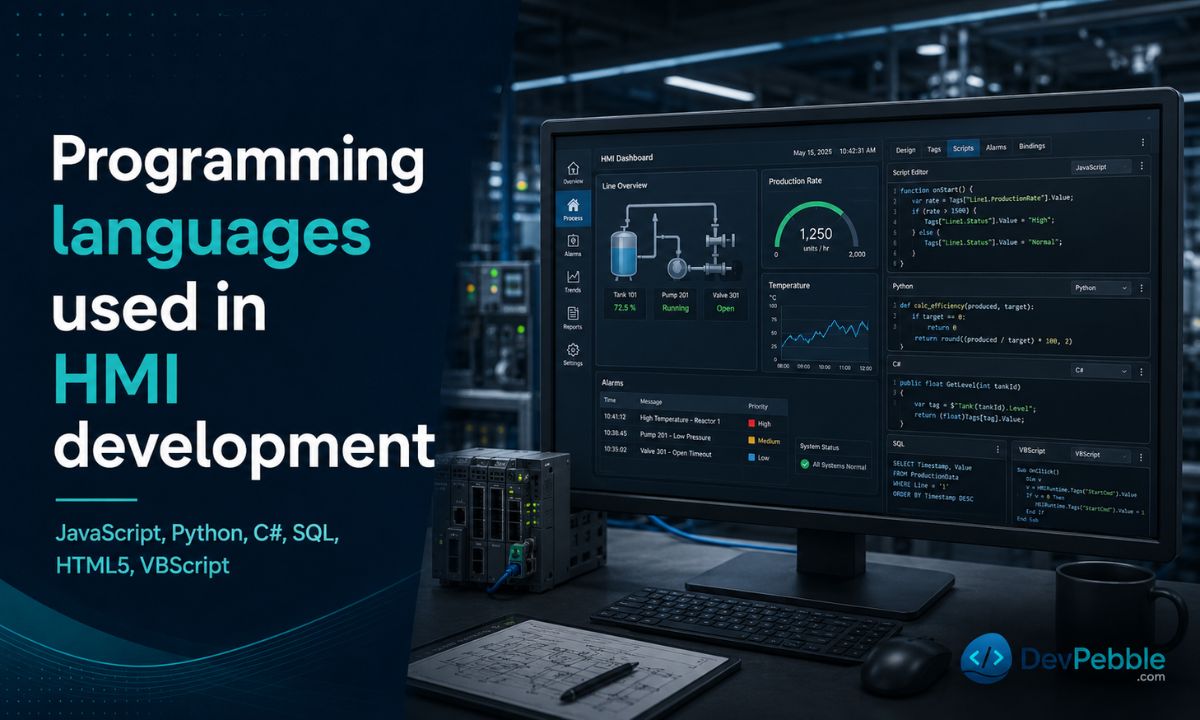
Most HMI projects are built through graphical configuration: linking objects to tags, writing conditional expressions, and defining alarm conditions. Scripting extends that where the built-in tools fall short, and support varies a lot by platform.
JavaScript runs in web-based runtimes like Ignition Perspective, Beckhoff TwinCAT HMI, and AVEVA Edge; if an HMI renders in a browser, JavaScript is the likely scripting language. Python is largely an Ignition story, with Jython for Designer event scripts and CPython for gateway logic. C# and .NET cover custom operator applications and TwinCAT HMI server-side extensions. Older AVEVA InTouch and WinCC Classic installations still lean on VBScript, which you will meet in brownfield upgrades. SQL appears wherever an HMI logs to a relational database for history and compliance. And HTML5 matters more every year as browser-based clients become the default, though you configure screens in the vendor's tool rather than hand-writing HTML.
How to design an HMI screen
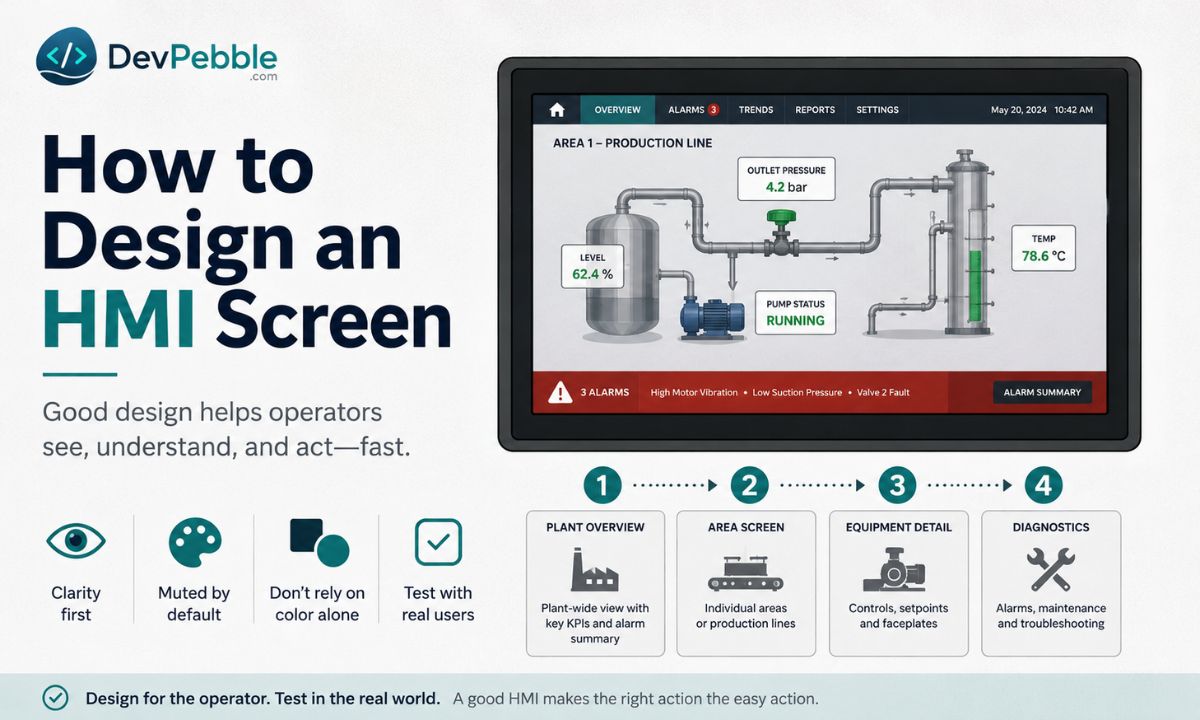
Start with the process and the people before you open the engineering software. A production operator running a shift and a maintenance technician chasing a fault need different information at different depths, so design for both from the start or you will be rewriting screens later.
Build a screen hierarchy. ISA-101, now adopted internationally as IEC 63303, organizes displays into four levels: a plant-wide overview with key indicators and aggregate alarm state; area screens for individual lines; equipment detail screens with controls, setpoints, and faceplates; and diagnostic screens for maintenance. Fix the target display resolution at the start, because correcting a mismatch later is slow, miserable work. Build reusable templates and faceplates for standard equipment like pumps, valves, and motors, so a change propagates to every instance and operators do not have to relearn each area.
The visual rules are where good design earns its keep. ISA-101 and high-performance HMI practice call for a muted, neutral palette during normal operation, so a healthy process looks calm and the moment something goes wrong, the alarm jumps out. Reserve saturated color for states that need action. Because color vision deficiency affects roughly 8% of men, never lean on color alone: pair every color change with a shape, label, or symbol. Label every value with its engineering unit and a plain description, since "Outlet pressure: 4.2 bar" is faster to act on than a bare number. Keep screens uncluttered, give them a persistent navigation bar and a global alarm banner, and test with real operators under simulated abnormal conditions before commissioning.
How to connect an HMI to a PLC
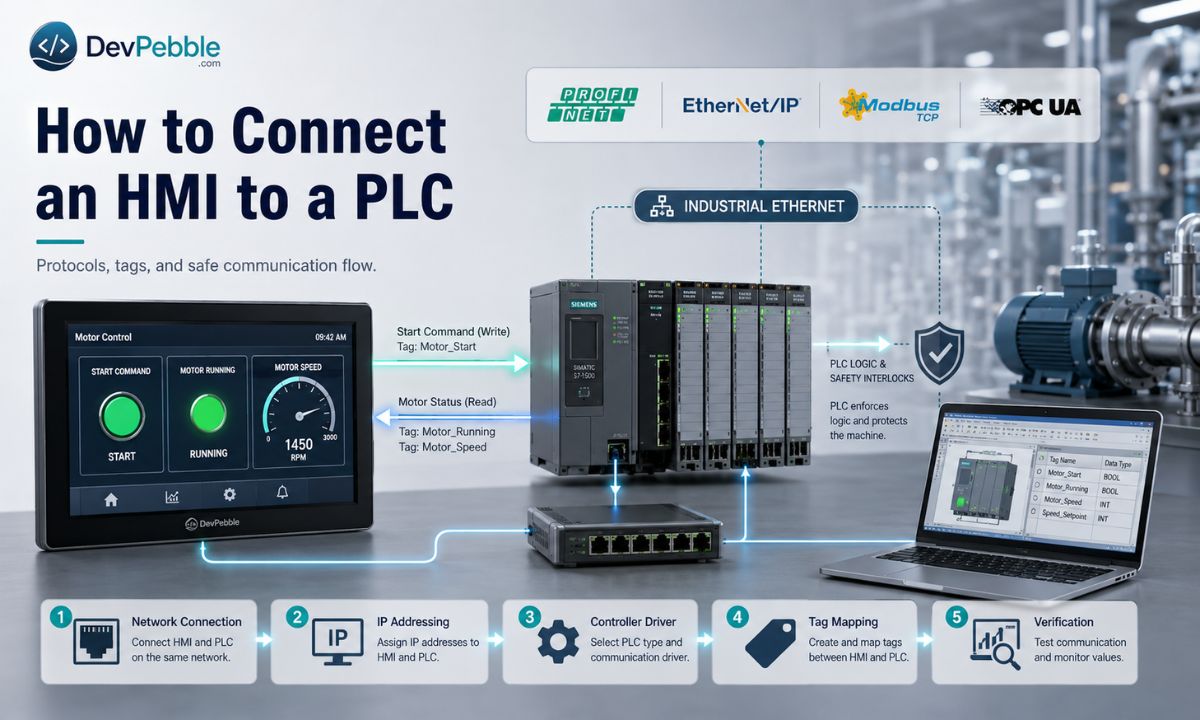
Check protocol compatibility first. Siemens controllers use PROFINET; Allen-Bradley Logix uses EtherNet/IP; most general-purpose devices handle Modbus TCP. In a mixed-vendor plant, an OPC UA server gives you a neutral path and saves you juggling proprietary drivers.
- Connect the hardware. Put the workstation, PLC, and HMI panel on the same Ethernet network. For serial devices, match baud rate, parity, and stop bits on both ends first.
- Assign static addresses on the same subnet. For Modbus RTU or PROFIBUS, set each device's station address.
- Create the controller connection: add the controller, pick the matching driver, and enter the PLC's IP address, CPU slot, or port.
- Import or create tags. TIA Portal shares its tag database with WinCC Unified directly; Studio 5000 tags import into FactoryTalk. Otherwise, build HMI tags by hand and match the PLC data type and address exactly.
- Deploy and verify with the online tag monitor or communication diagnostics.
A quick example. A motor control screen needs three tags: START_CMD (Boolean, written to a PLC output), MOTOR_RUNNING (Boolean, read from contactor feedback), and MOTOR_SPEED (read from the VFD). The Start button sends a momentary pulse to START_CMD, and PLC interlock logic decides whether to energize the contactor. The HMI asks; the PLC enforces. A Start button that just holds a 1 while pressed, with no interlock behind it, is not safe.
How to create tags, alarms, recipes, and trends
Take one example through all four: a chemical dosing pump at a water treatment plant.
Tags. External tags map to PLC variables like PUMP_01_RUN and PUMP_01_FLOW_PV. Internal tags live only inside the HMI runtime, things like navigation state that never reach the controller. Apply scaling when the PLC sends raw integers, say a 0 to 4095 count mapped to 0 to 100 L/min. Use one naming convention so alarms and trends reference tags by name, and set read/write permission per tag so operators cannot change setpoints their role does not allow.
Alarms. Each one needs a setpoint, a priority (critical, high, medium, or low), and a deadband, a small gap between the trip and clear thresholds that stops the alarm chattering when the value hovers near the limit; an on-delay timer filters transient spikes. ISA-18.2 (IEC 62682) calls more than ten alarms in ten minutes a flood, and floods are almost always a configuration problem: too many alarms on normal variation, or setpoints too close to the steady-state range. Every alarm should demand a specific action; if a condition needs none, log it as an event instead. Require acknowledgment with a timestamp and user identity and keep a history, since in pharma and food processing those records are part of the audit trail.
Trends and recipes. Log flow and pressure at an interval that suits the process, every second during active dosing and less often in standby; historical trends let an operator compare current readings against past batches, which is gold during troubleshooting. A recipe stores a named parameter set, like dose rate and pressure limits for a given water source. The operator picks it from a list, the HMI writes the values to PLC setpoint tags, and a confirmation step runs before the transfer.
Best HMI software and platforms
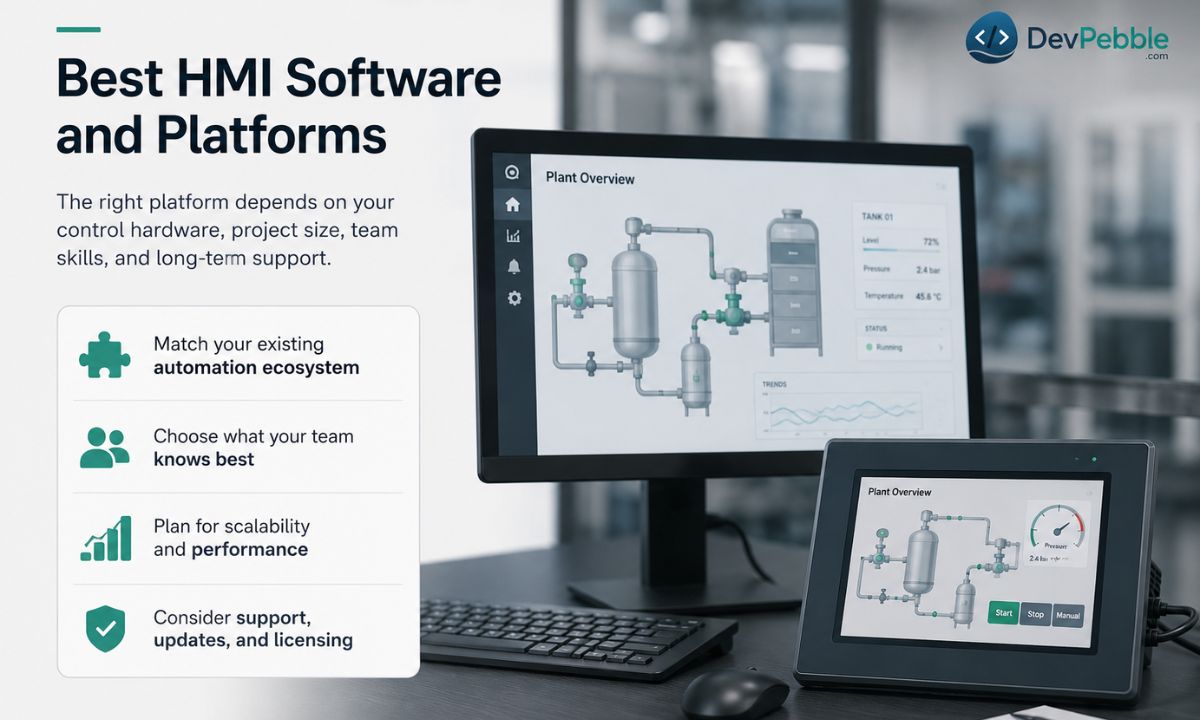
Platform choice comes down to the control hardware you already run, project scale, your team's skills, and the maintenance plan. The platforms below are in active development as of mid-2026.
| Platform | Typical environment | Notable strengths |
|---|---|---|
| Siemens WinCC Unified | Siemens PLC sites | TIA Portal tag sharing; HTML5 web client; SCADA-tier capability in V20 |
| Rockwell FactoryTalk Optix | New Allen-Bradley builds | Web-native runtime; C# scripting; Linux-capable deployment |
| Rockwell FactoryTalk View SE | Established Rockwell plants | Mature; deep Logix integration; dominant in North American discrete mfg |
| AVEVA InTouch HMI | Cross-vendor process industries | Multi-protocol; ArchestrA object model; enterprise scale |
| Inductive Automation Ignition | Mixed-vendor, scalable projects | Unlimited tags per server; OPC UA; Sparkplug B; Perspective web client |
| Beckhoff TwinCAT HMI | Beckhoff IPC platforms | Shared project with TwinCAT runtime; C# extensions; OPC UA |
| Schneider Vijeo Designer | Schneider panel hardware | Built for Magelis and Harmony terminals |
| Mitsubishi GT Designer | Mitsubishi GOT panels | Native GOT integration; CC-Link support |
Siemens-only sites get the most from WinCC Unified's shared tag database with TIA Portal; it needs an OPC UA bridge to reach non-Siemens controllers. Allen-Bradley installations usually run FactoryTalk View SE for its deep Logix integration, while Optix is winning new builds where a web-native runtime and Linux deployment matter. Multi-vendor and large-tag-count projects lean toward Ignition, whose flat per-server licensing avoids the per-tag cost scaling that makes rivals expensive at scale. Single-brand machine builders usually stay with the vendor-matched tool, and if you already run CODESYS or Omron Sysmac, check their built-in visualization before buying a separate product.
Common HMI errors and how to fix them
Communication failures. No PLC connection? Start at the physical layer (cable, switch port, link LED), confirm the PLC and HMI share a subnet, and check that the correct controller driver is selected. A tag that reads but will not write usually has a write-permission problem, a read-only data block, or a role without write access. A data type mismatch, like a floating-point HMI tag bound to a 16-bit integer register, returns garbage; match the type on both sides and retest.
Display and performance. A reading of 23,000 where you expect 23.0 means the scaling is wrong. Alarms that never trigger or clear point to a bad source address, a value the PLC is not writing, or a deadband so wide the condition clears before the on-delay expires. Missing trend data means the historian is down, the log task stopped, or the sampling interval does not fit the process. Slow screens come from high-frequency tag bindings on too many objects or large embedded bitmaps; drop the update rate on non-critical tags and use native vector symbols. And a project built in a newer engineering version may not download to an older runtime, so match versions first.
How to learn HMI programming: roadmap, careers, and what comes next
HMI work sits on top of electrical and control fundamentals, so build from the bottom up.
- Electrical basics: reading schematics, understanding I/O, knowing how a control panel is wired.
- PLC programming: controller memory, the scan cycle, data types, and at least one IEC 61131-3 language.
- Industrial networking: IP addressing, industrial Ethernet, and the protocols in this article.
- One PLC and HMI ecosystem, end to end: build screens, create tags, configure alarms and trends, commission a simulated project.
- Alarm management, design standards, and cybersecurity. ISA/IEC 62443 lays out a layered defense for industrial systems: strong authentication, encrypted channels, network segmentation, and disabling unused services.
- A portfolio project: a full virtual system with navigation, alarms, trending, and recipes, documented as if you were handing it to a maintenance team.
- Then expand into SCADA, historians, SQL, and multi-site architectures as you grow.
The skills travel across many roles: HMI developer, PLC programmer, controls engineer, SCADA engineer, system integrator, and commissioning engineer. Maintenance technicians who can troubleshoot HMIs stay in demand, and most employers want fluency in at least one major platform plus the ability to read PLC logic.
As for where the field is heading, browser-based clients are displacing dedicated panel runtimes on new installs, OPC UA and Sparkplug B are smoothing out multi-vendor connectivity, and edge computing is pushing processing closer to remote sites. IT/OT convergence keeps raising demand for engineers comfortable in both worlds. Digital twins and AI-assisted alarm rationalization are real areas of development, though how much has reached production varies.
HMI programming connects the human world to the machine world. Get it right and a complex process becomes legible: operators spot trouble early, respond correctly, and keep production safe. Get it wrong and you get alarm floods and systems nobody fully understands. The fastest way to start is hands-on. Grab a free trial or educational edition of one platform, wire it to a PLC simulator, build a basic screen with a few tags, configure one alarm, and watch it work. That first complete project will teach you more than any amount of reading.