Best TPMS programming tool: complete buying, programming, and relearn guide for 2026
Choosing a TPMS programming tool? Learn what these tools do, when you need one, how programming, relearn, and reset differ, OBD2 requirements, step-by-step programming, compatibility, and 2026 pricing.
On this page⌄
- What a TPMS programming tool does
- Programming, relearn, and reset are three different things
- When you need one
- How to choose the right tool
- Do you need an OBD2 tool?
- How to program TPMS sensors, step by step
- When things go wrong: common problems and fixes
- Compatibility: the part buyers get wrong
- What it costs in 2026
- The bottom line
- FAQ
Your tire pressure light comes on after you swap in a new sensor, you clear it, and a few miles later it is back. Sound familiar? A basic reset clears a warning. It does not teach your car about a sensor it has never met. For that you usually need a TPMS programming tool, and picking the right one is mostly a question of compatibility, not brand names.
This guide is for car owners, DIY mechanics, and tire shop techs who want a straight answer on what these tools do, when you need one, and how to choose without overspending. The biggest mistake buyers make is assuming one tool works on every vehicle. It does not, and most of this guide circles back to why.
What a TPMS programming tool does
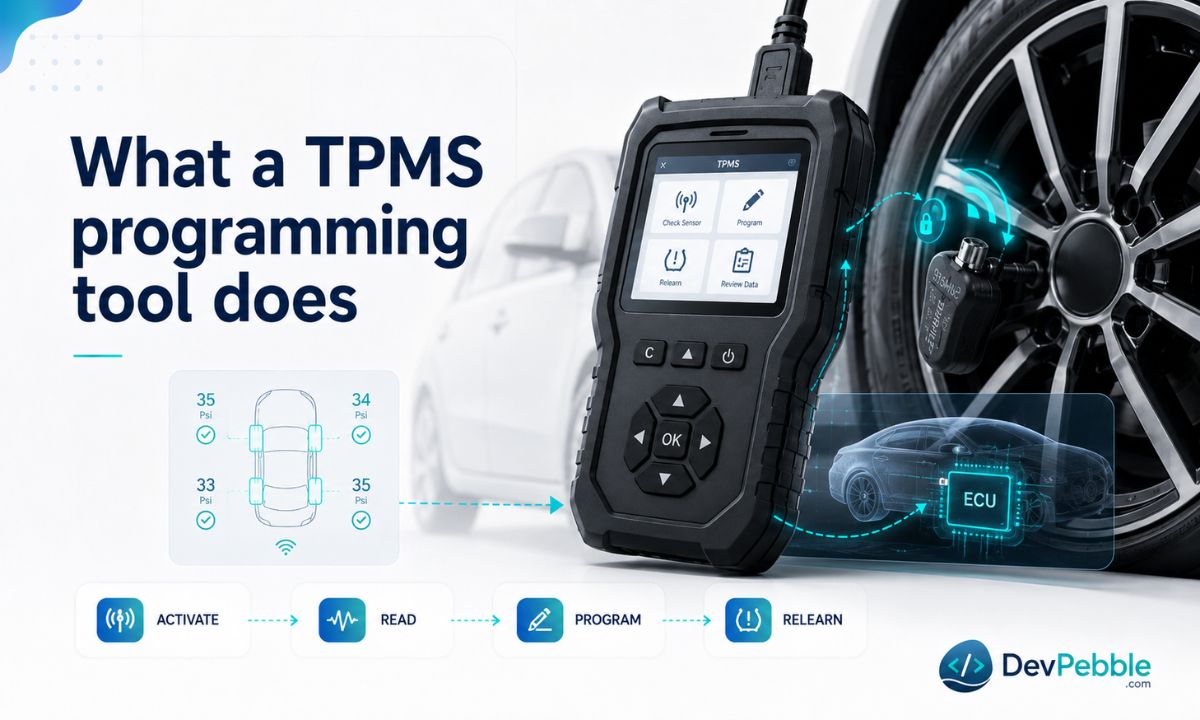
A TPMS programming tool is a handheld device that talks to the tire pressure sensors inside your wheels. Its main job is to configure a universal or aftermarket sensor so your car treats it like the factory part it was expecting.
In practice, a capable tool does four things. It programs blank sensors, writing the right vehicle application, communication protocol, and operating frequency so the car recognizes them. It wakes sensors with a low-frequency signal and reads back their data: pressure, temperature, battery status, and the unique ID. It reports sensor health, so a dying battery shows up before you pull a tire apart. And it walks you through the relearn that registers new sensor IDs with the vehicle.
What a tool can do depends on its model, firmware, and software coverage. None supports every vehicle or sensor brand. Coverage comes down to make, model, year, sensor type, and the tool's database, so check before you buy, every time.
Programming, relearn, and reset are three different things
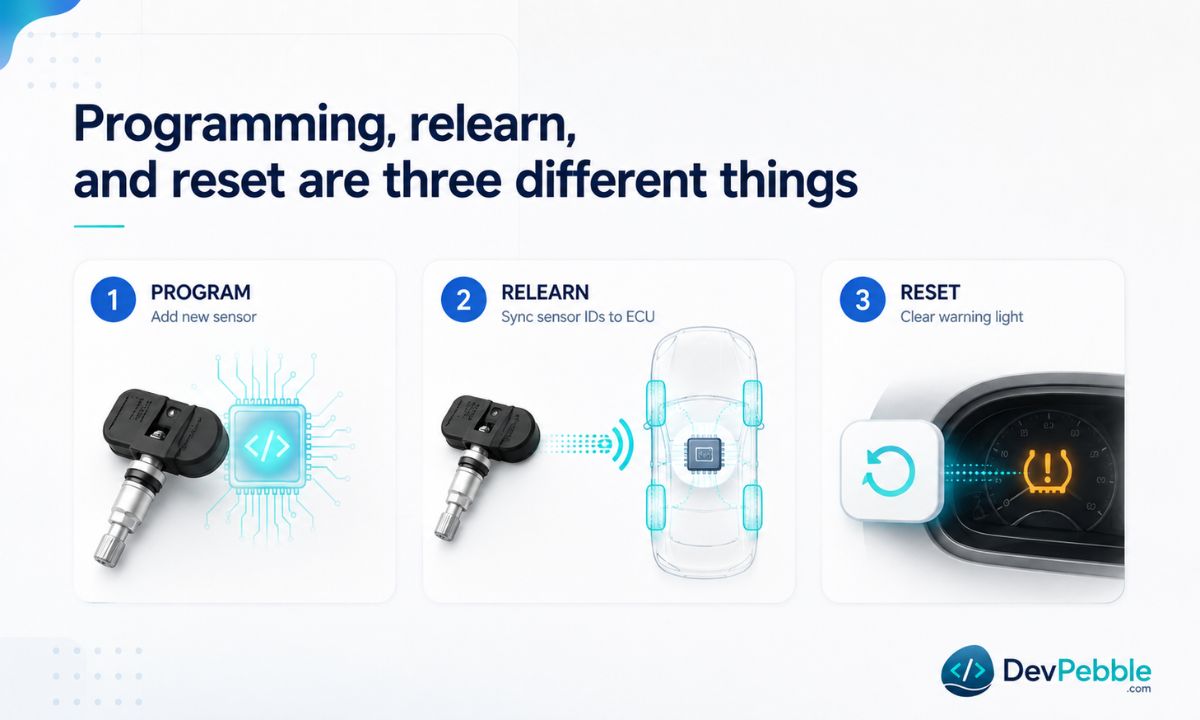
People use these terms interchangeably, and that confusion is exactly why so many tire lights stay on. They describe three separate jobs.
Programming means writing vehicle-specific data to a blank or universal sensor. An aftermarket programmable sensor ships as an empty template. The tool sets its protocol, frequency, and data format so the car's receiver can talk to it.
Relearn means teaching the vehicle which sensor IDs are installed and where each one sits. A perfectly programmed sensor is still a stranger to the ECU until the relearn happens. There are three ways to do it: stationary through an OBD2 connection, auto-relearn by driving for a set distance, or manual using a magnet or activation tool at each wheel.
Reset is the one that fools people. It clears a warning light through the dashboard menu or a button sequence, and that is all. It writes nothing to a sensor and teaches the ECU nothing. If a sensor was physically replaced or its ID changed, a reset will not save you.
Here is the typical sequence. A sensor dies, you fit a universal one, you program your vehicle's application to it, then you relearn its ID into the ECU through OBD2 or a manual procedure. Skip either step and the light stays on.
When you need one
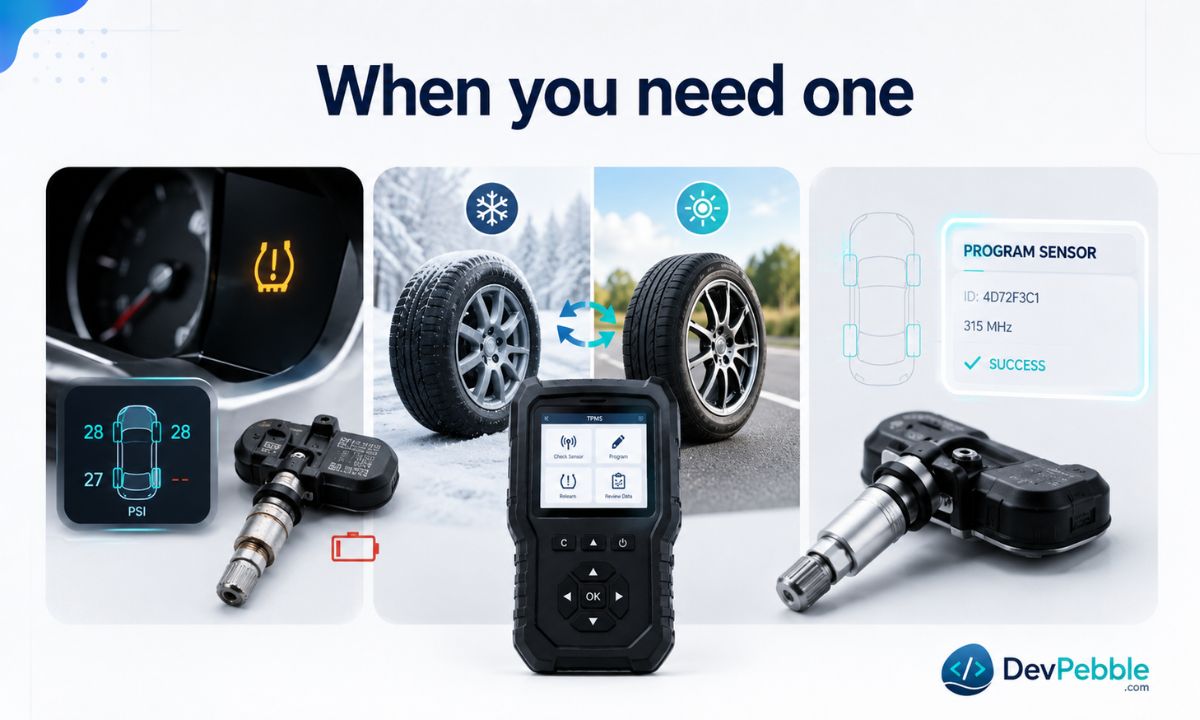
A simple reset is fine in some situations. In these, it is not enough:
- You replaced a dead or damaged sensor. A new universal or aftermarket unit has to be programmed and then relearned before the car will trust it.
- You run a second set of seasonal wheels with their own sensors. The vehicle has to learn those IDs each time you switch, and a relearn tool makes that quick.
- You are using universal or programmable sensors. They fit a wide range of cars precisely because they arrive blank, so they are useless without programming.
- The warning light is still on after a sensor was installed. This is how most people discover they need a real tool. Often the installer skipped the relearn or used the wrong protocol.
- You run a tire shop. Speed and a low callback rate matter, and a reliable tool earns its keep fast.
How to choose the right tool
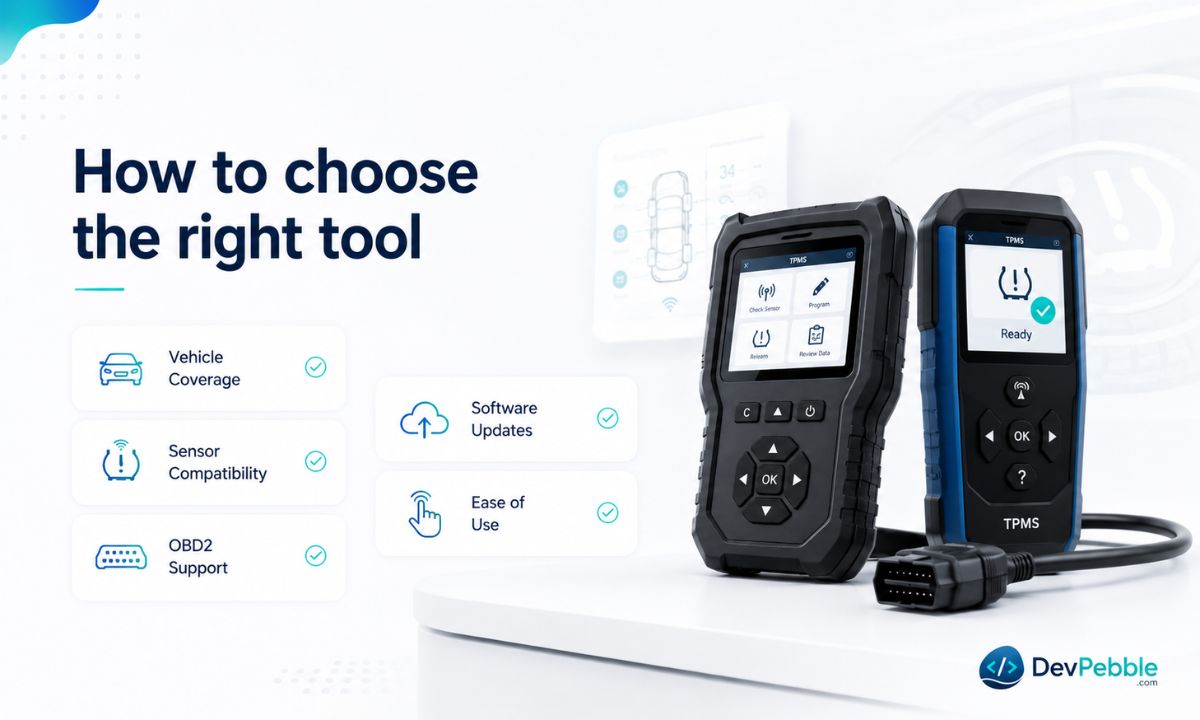
Vehicle compatibility comes first, and it is not close. Confirm the tool supports your make, model, and year before anything else. Some tools cover a broad mix of domestic and import vehicles; others lean toward specific brands. Do not assume, check the coverage list.
After that, work through the practical stuff:
- Sensor brand support. If you already buy a particular programmable sensor line, confirm the tool handles it. Some tools only program their own brand of sensor, which is easy to miss until the programming step fails.
- OBD2 support. Tools with an OBD2 connection can do stationary relearns without driving the car, which is faster and required outright on some vehicles.
- Software updates. Coverage databases change constantly as new models ship. A tool that cannot update goes stale within a year or two, so look for free or affordable updates and a track record of support.
- Ease of use. A clear backlit screen and guided menus matter, especially if you only program sensors a few times a year. Some professional tools have a learning curve a casual user does not need.
- Your workload. A home mechanic servicing one or two cars has different needs than a shop turning over dozens a day, where pro tools buy speed, coverage, and durability at a higher price.
Do you need an OBD2 tool?
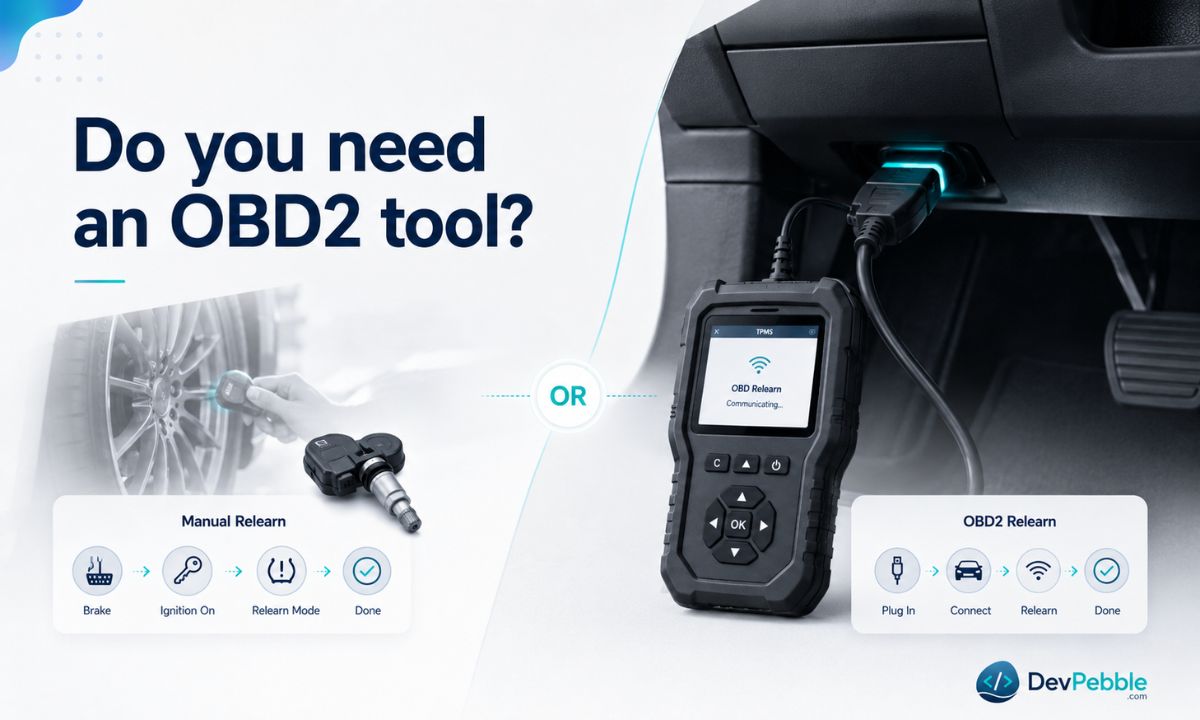
OBD2 is the standardized diagnostic port that has been fitted to US passenger vehicles since the 1996 model year, usually tucked under the dash near the steering column. It gives a tool direct access to the car's electronic systems, including the TPMS module.
On many older or simpler systems, you can relearn sensors manually: trigger each wheel in sequence with a magnet or activation tool, then confirm through the vehicle menu. No OBD2 needed. But a growing share of current vehicles require a stationary OBD2 relearn instead. The tool plugs into the port, reads the sensor IDs, and writes them straight to the ECU. It is faster than a drive-cycle relearn and does not depend on hitting a particular speed.
Some vehicles also support auto-relearn, where the car registers new IDs on its own after you drive for a while, often around 10 to 20 minutes above roughly 25 mph, though figures vary by manufacturer. That works for straightforward swaps but is unreliable with fresh universal sensors. Always check the vehicle-specific procedure first, since the wrong method can leave the light on or register positions in the wrong corners.
How to program TPMS sensors, step by step
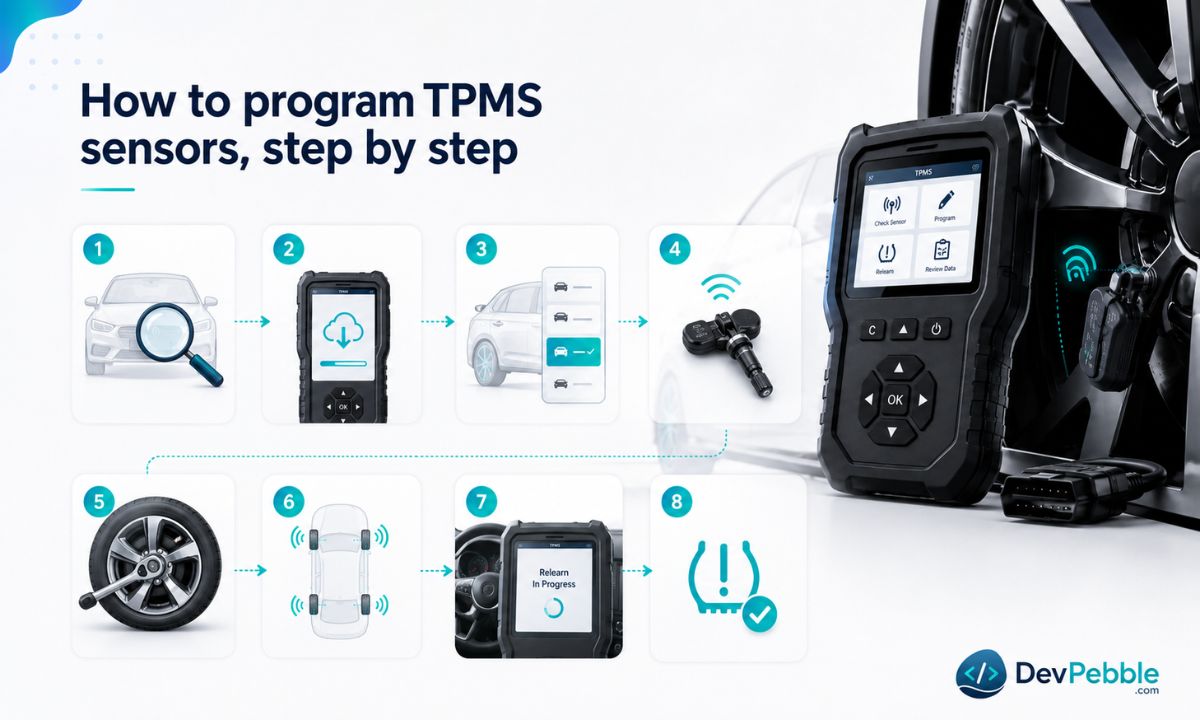
This is a general process. Exact steps depend on your vehicle, tool, and sensor brand, so keep the tool manual and service information handy.
- Confirm the details. Note the exact make, model, year, and trim, plus the sensor type you have or need. Original and aftermarket sensors can use different frequencies or protocols.
- Update the tool. Run the latest software before you start. An outdated database leads to wrong programming or a failed relearn.
- Select the right vehicle in the menu. Picking the wrong make, model, or year is one of the most common errors, so double-check it.
- Program the sensor before installation. If it is a universal or programmable unit, configure it while it is still out of the wheel. Hold the tool close and follow the prompts.
- Install it correctly. Mount the sensor to the manufacturer's torque and valve stem specs. Bad installation causes leaks or damage, so let a tire shop mount it if you are unsure.
- Activate and read each sensor. With everything installed, trigger each one and confirm it transmits the right pressure, temperature, battery status, and ID.
- Run the relearn. OBD2 stationary, manual sequence, or auto-relearn by driving, whichever your vehicle needs.
- Confirm the light goes off. If it stays on, you missed a step or a sensor was not recognized.
When things go wrong: common problems and fixes
Even experienced techs hit snags. Most fall into a handful of buckets.
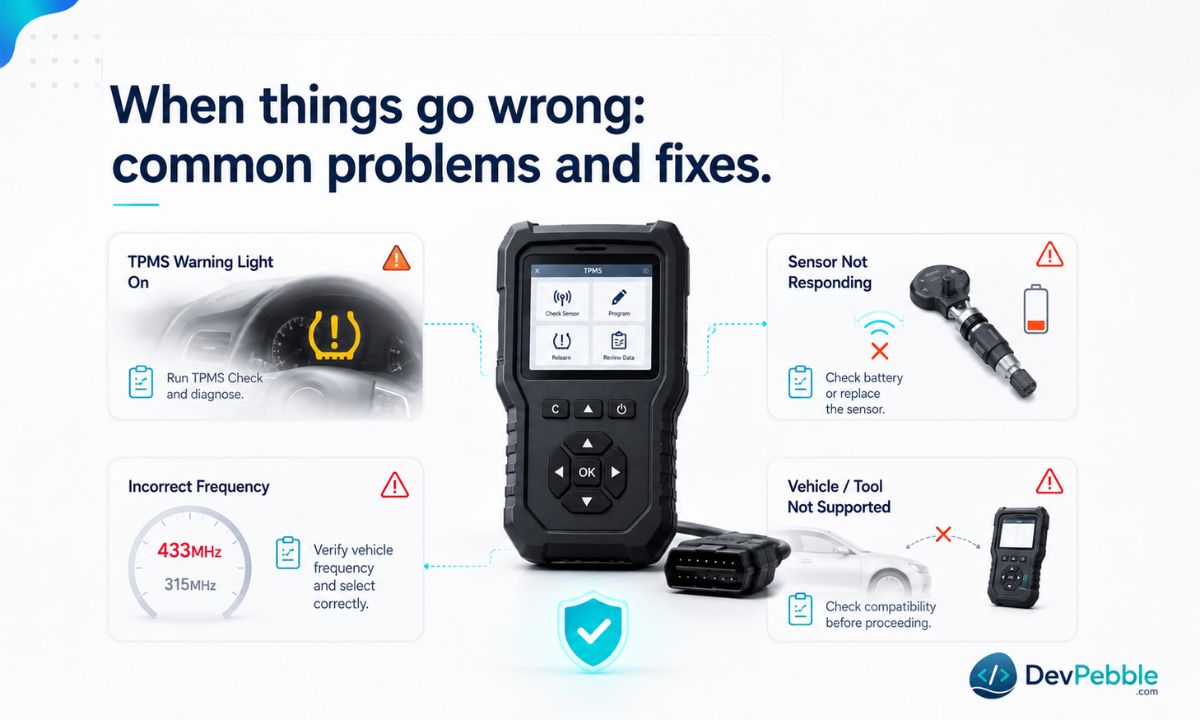
The tool will not read the sensor. Hold it within a few centimeters of the valve stem. If it still reads nothing, the sensor may be faulty, the battery dead, or the tool in the wrong mode.
Wrong vehicle selected. More common than it sounds. Go back and reconfirm make, model, year, and trim, since some vehicles run different TPMS configurations by trim or market.
Sensor not compatible. Not every sensor works with every tool or car. Cross-check the sensor brand list and the vehicle coverage; if it is unsupported, you need a different sensor or tool.
Dead or low battery. TPMS sensors usually last 5 to 10 years. If the tool reports a weak or missing signal, the sensor needs replacing, not reprogramming. Because the battery is sealed inside, the whole unit gets replaced.
Wrong frequency. Sensors run at either 315 MHz or 433 MHz depending on the market and model year. Fit the wrong one and the car simply cannot hear it. Verify the correct frequency before you buy.
Light still on after programming. This almost always means the relearn was incomplete, done with the wrong method, or done on a vehicle that needs OBD2. Repeat it, confirm the method, and check whether that car requires the port.
Relearn not accepted. Some vehicles only hold the relearn window open for a short time. If you stall, the car drops out of the mode. Restart and work through the steps without pausing.
Outdated database. If the tool cannot find your vehicle or returns odd results, update it. Current software is what keeps late-model coverage accurate.
If you have worked the checklist and the light still will not clear, a shop with a known-compatible tool is the sensible next stop. Some faults are ECU or wiring problems that no amount of sensor programming will fix.
Compatibility: the part buyers get wrong
This is where the money gets wasted. A tool that handles your neighbor's truck may not touch your car at all.
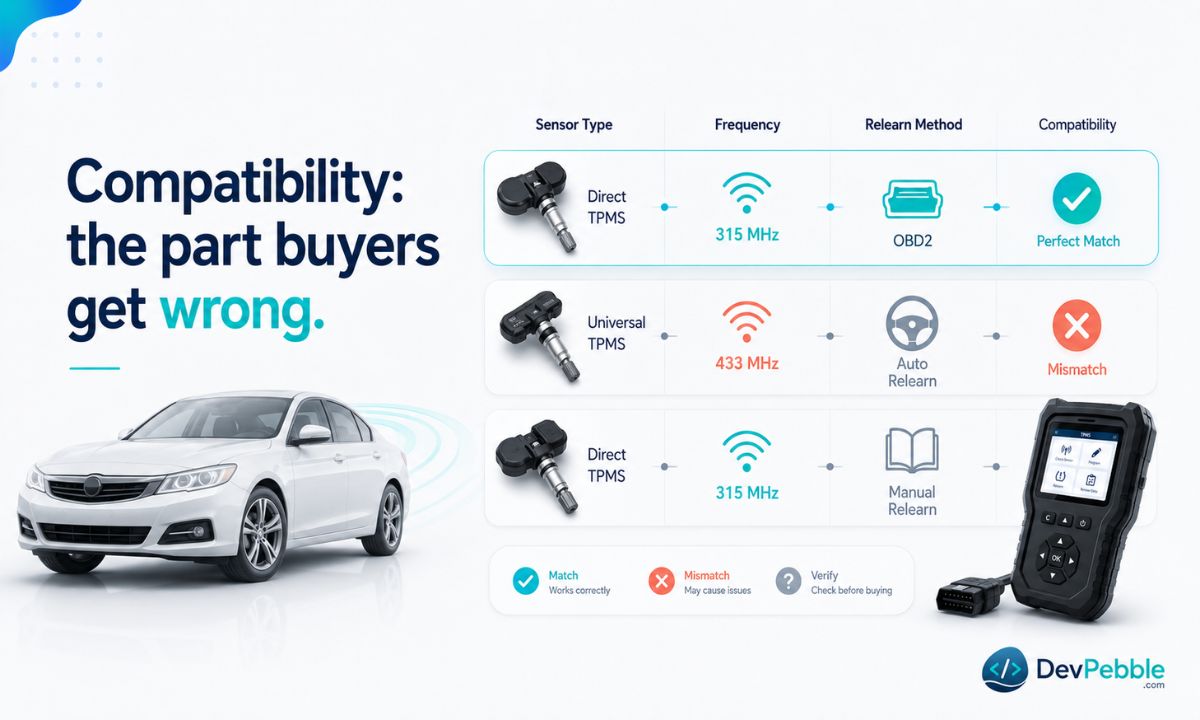
Make, model, and year set the protocol the tool has to support. Even within one brand, different years can use different relearn procedures or frequencies. Sensor type matters just as much, and there are several in circulation: factory OEM sensors, aftermarket direct-fit replacements, universal programmable sensors, cloneable sensors that copy an existing ID, and pre-programmed sensors built for one vehicle. No tool covers all of them.
Frequency follows the market. North America largely runs 315 MHz, while Europe and some Asian-market vehicles use 433 MHz. Some newer sensors are dual-band and handle both, but confirm it rather than assume. Relearn method varies too: OBD2, auto-relearn, or manual, and your tool has to support whichever your vehicle demands.
Before buying, run this checklist:
- Confirm your exact make, model, and year are in the coverage database.
- If you already have sensors, verify the tool supports that brand and model.
- Check whether your vehicle needs OBD2 relearn and that the tool does it.
- Find out how often updates ship and whether they cost extra.
- If you use universal sensors, make sure the tool programs them, not just activates and relearns.
What it costs in 2026
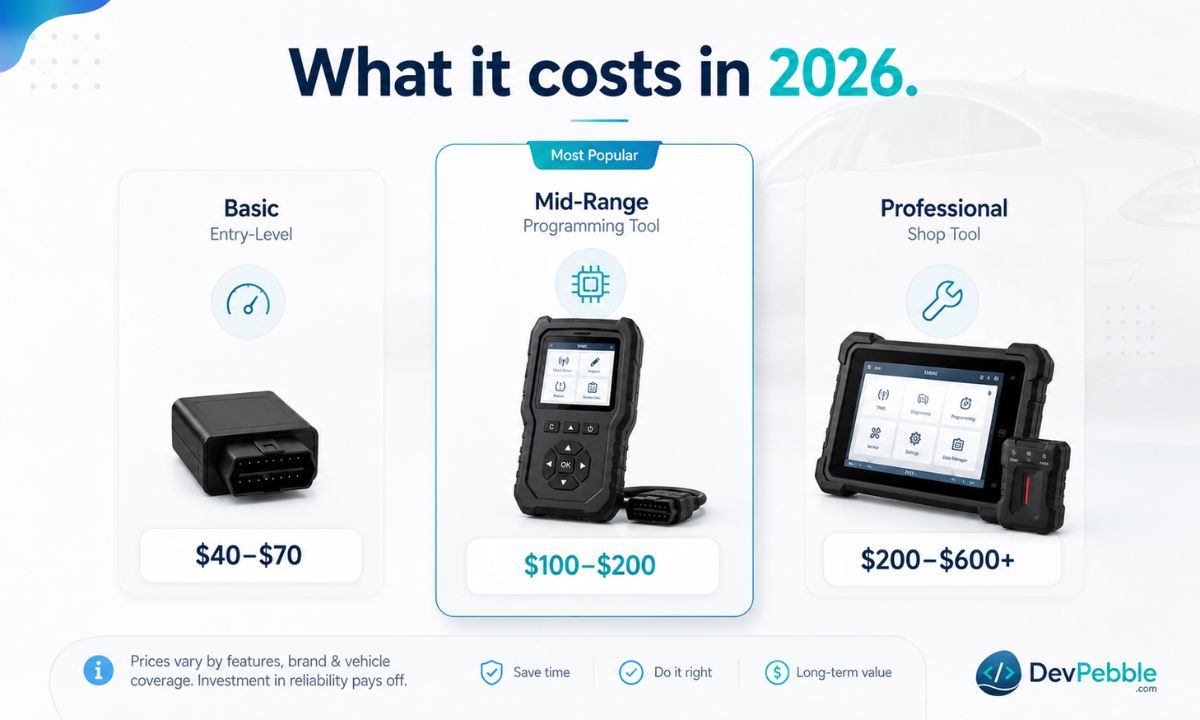
Pricing splits into three rough tiers. Entry-level tools run about $40 to $70 and handle basic activation and relearn but generally do not program blank universal sensors. Mid-range tools, roughly $100 to $200, add full programming plus OBD2 relearn, and this is the sweet spot for most DIYers and anyone servicing more than one car. Professional tools start around $200 and climb past $600, buying the widest coverage, fastest workflows, reporting, data logging, and frequent updates.
Some sensor makers sell companion tools tuned to their own line. If your shop standardizes on one brand, that can be a clean setup, though it may not program other manufacturers' sensors.
The bottom line
The right TPMS programming tool is the one that covers your specific vehicle, supports the sensor types you use, handles the relearn method your car requires, stays current with updates, and matches how often you work on tires. There is no universal tool, which is why a few minutes spent verifying compatibility beats chasing brand names or the lowest price.
For most DIY users, a reliable mid-range tool with solid coverage and OBD2 support handles the vast majority of sensor replacements and relearns. Shops get more out of broader coverage, fast updates, and reporting. Either way, the upfront compatibility check is the difference between a five-minute job and a warning light that refuses to die.