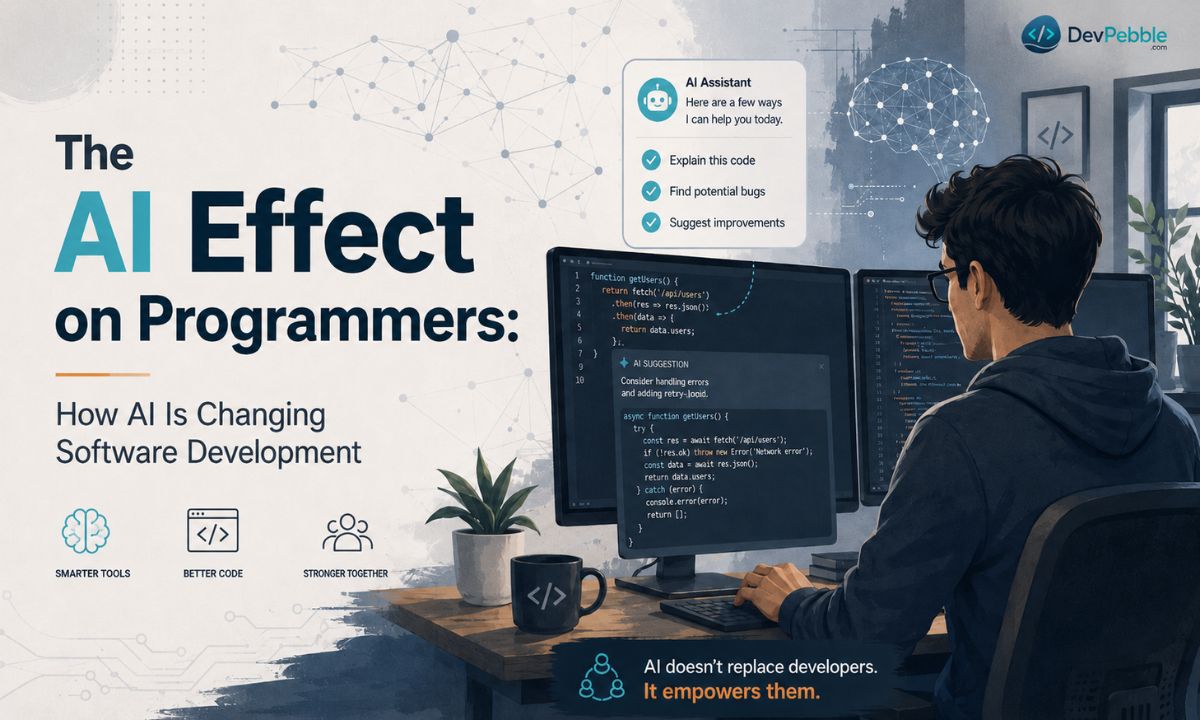
The AI Effect on Programmers: How AI Is Changing Software Development
A balanced look at the AI effect on programmers — what AI automates, how the developer role is shifting, the real risks, and the skills that still matter.
On this page⌄
- What AI actually does to programming
- How the job is changing
- Where AI genuinely helps
- Where it bites you
- Is AI going to replace programmers?
- Getting real productivity out of the tools
- The tools worth knowing
- Skills that matter now
- Beginners vs. experienced developers
- Salaries and job openings
- Where this is heading
- The short version
- FAQ
Ask ten developers what AI is doing to their job and you'll get ten answers, most of them sitting somewhere between "I'm doomed" and "it's just fancy autocomplete." Students worry there won't be jobs left. Senior engineers wonder how their day changes. Beginners ask whether learning to code is even worth it.
The real answer is less dramatic than either camp. AI is changing how software gets built. It isn't quietly deleting programming as a career. It takes over a lot of the grunt work, makes some tasks faster, and shifts which skills actually matter.
Here's where it genuinely helps, where it falls on its face, and what stays valuable.
What AI actually does to programming
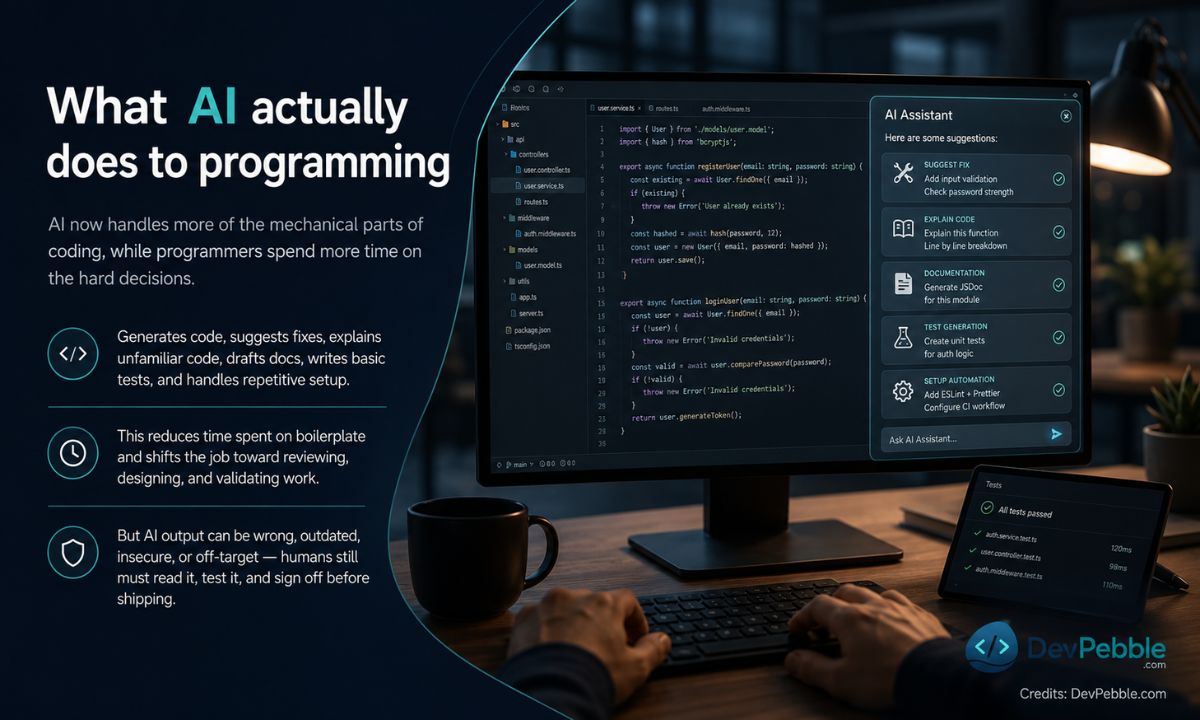
Short version: AI now handles more of the mechanical parts of coding, and programmers spend more time on the decisions that are hard to automate.
Most tools today can generate code from a plain description, suggest fixes while you debug, explain code you've never seen before, draft documentation, write basic tests, and handle repetitive setup. That cuts the time you spend on boilerplate, and it nudges the job toward reviewing, designing, and checking work rather than typing all of it out.
The catch is that the output is often wrong. Sometimes it's outdated, sometimes insecure, sometimes it just confidently misses the point. Someone still has to read it, test it, and sign off before it ships. The tool suggests; you're the one on the hook.
How the job is changing
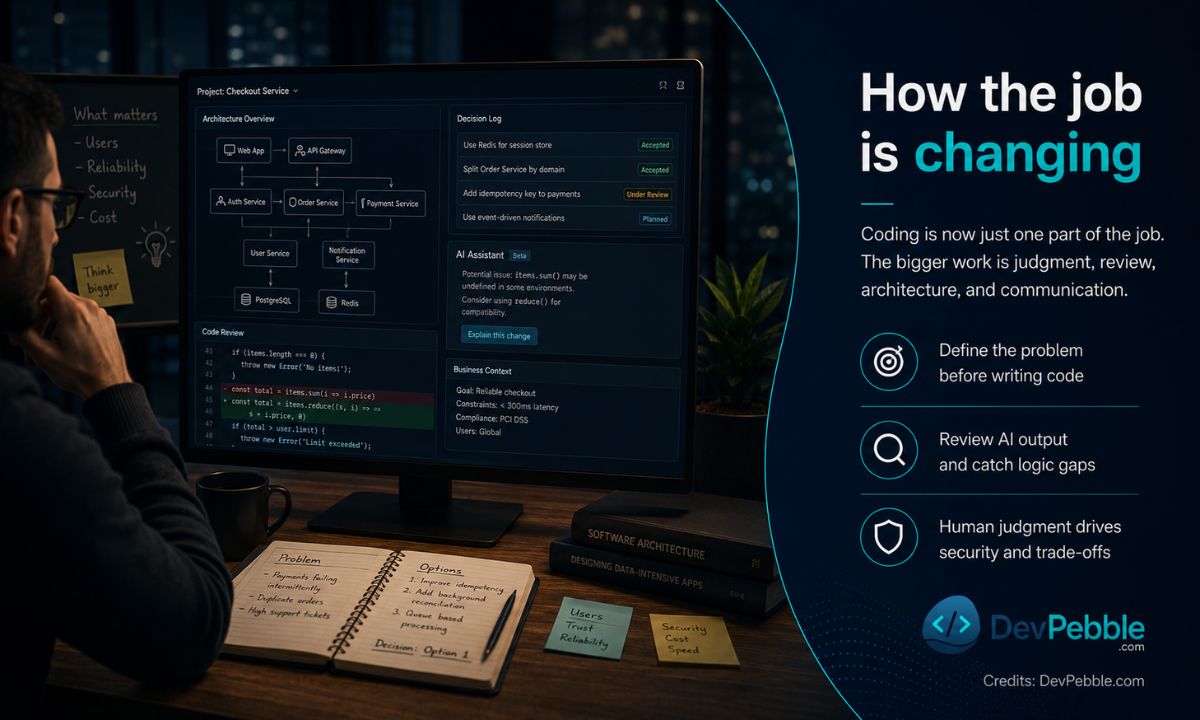
Writing syntax used to be most of the work. Now it's one piece of a bigger job.
More and more, the work is figuring out what problem you're actually solving before any code gets written. It's choosing an architecture. It's reading AI-generated code closely enough to catch the logic gaps, checking that what got built matches what was needed, understanding why the business wants the feature in the first place, thinking about security, and explaining all of it to people who may not write code themselves.
None of that is stuff a coding assistant does well. It has no idea what your company is trying to do, who your users are, or what constraints you're under. It can't weigh a trade-off the way someone who's been burned by that exact trade-off before can.
That's the whole reason supervision still matters. AI makes you faster. It doesn't make you accountable. The developers worth the most are the ones who pair the technical chops with judgment and the ability to explain themselves.
Where AI genuinely helps
Used well, it's a real boost, especially for small teams. A two-person startup can now ship things that used to need five people.
It speeds up the first draft of code. It takes the repetitive busywork off your plate. It explains cryptic error messages instead of making you Google them. It's handy for throwing together a quick prototype, getting a plain-English explanation of something confusing, cleaning up documentation, writing tests, and finding your footing in a language you don't know yet.
A concrete example. Say a backend dev needs a function to validate email addresses. She asks an assistant, and working code comes back in a few seconds. Instead of pasting it in and moving on, she reads it, thinks about edge cases, and runs her own tests. It chokes on one rare format. Quick fix. The assistant saved her time; her review caught the bug.
That's basically the whole game right now: take the help, then check it. Treat what comes out as a draft, never a final answer.
Where it bites you
Every useful tool has a downside, and these have a few real ones. They're manageable, but they're not imaginary, and they hit different people differently.
The repetitive, entry-level tasks are the first to get automated, so demand drops for roles that were only ever about basic coding. Lean on the tools too hard and your own skills can quietly rot, especially the problem-solving muscles you build by struggling through things yourself. The generated code can be wrong, stale, or insecure. There are open questions about privacy and who owns the code these models trained on. Reviewing huge piles of generated code is its own headache. And because the tools promise speed, you can end up pushed to deliver faster than is wise.
The one I'd flag hardest is junior developers. When AI handles the simple stuff, some teams figure they need fewer juniors. But the role isn't disappearing so much as changing. New developers now learn to direct and correct AI output much earlier than they used to.
None of this lands evenly, either. Someone maintaining a bank's core systems is in a very different spot than someone building weekend apps for fun.
Is AI going to replace programmers?
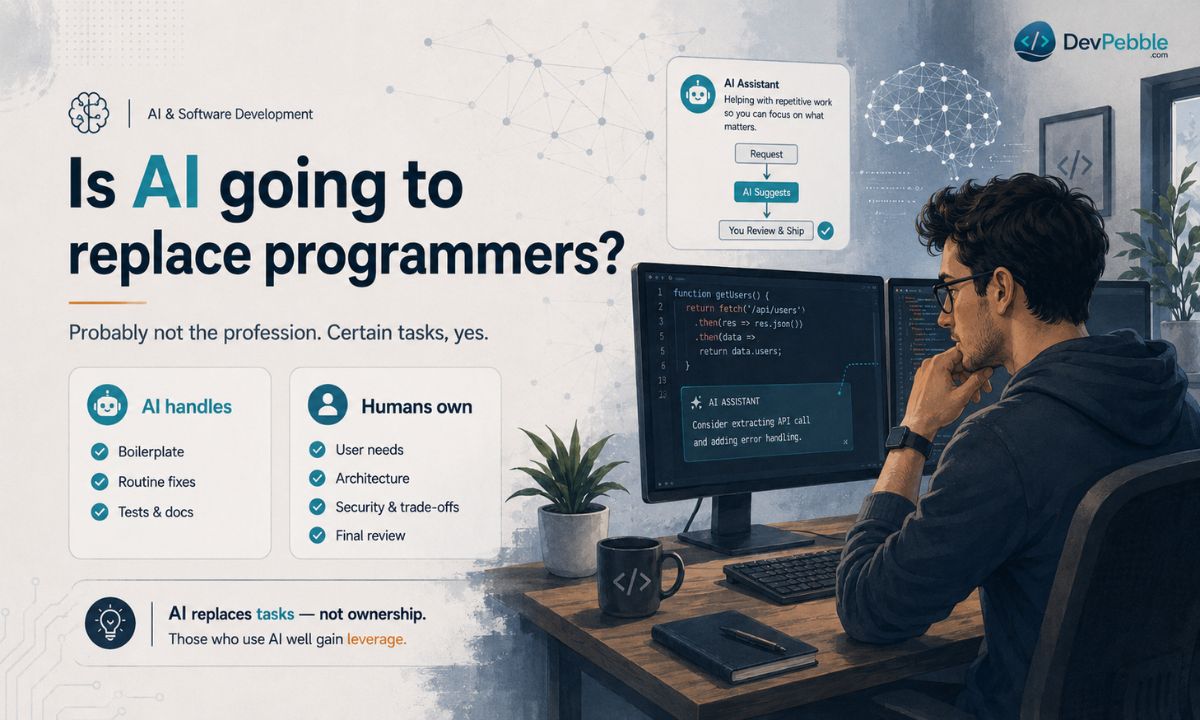
Probably not the profession. Certain tasks, yes. (This is a read on where things are heading, not a promise.)
AI is great at well-defined, repetitive work and bad at ambiguous problems that need context and someone willing to own the outcome.
Roughly, the split looks like this. AI can usually take on boilerplate, routine bug fixes, test scaffolding, formatting and cleanup, and quick documentation drafts. What still needs a human: understanding what users actually need, system and architecture design, security and ethical calls, weighing trade-offs and priorities, and the final review where someone puts their name on it.
That last column is the difference between replacing a task and replacing a person. AI can swallow individual tasks all day. It doesn't replace whoever decides what to build and why.
Experience changes the picture too. Juniors feel it most, because AI now does the entry-level work they used to cut their teeth on. Mid and senior engineers tend to get leverage out of it instead, moving faster on the hard problems. As a rule, the people who use AI well will be ahead of the people who pretend it doesn't exist.
Getting real productivity out of the tools
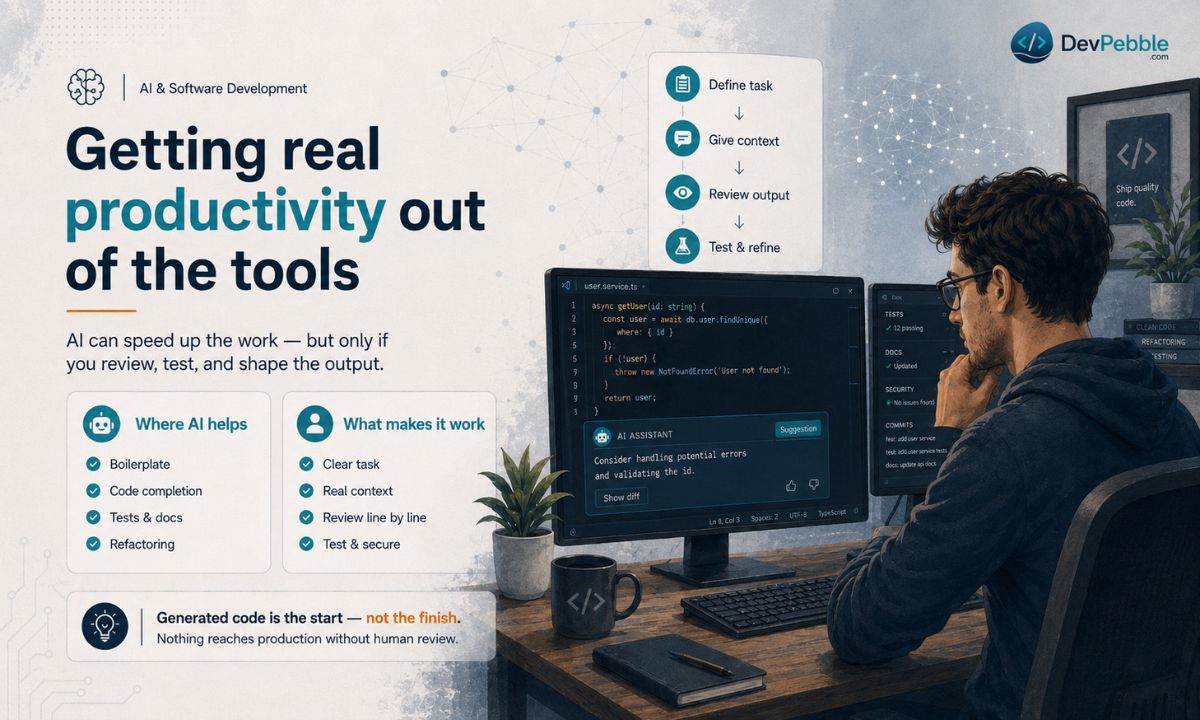
Used responsibly, these tools speed up a lot of the day: generating boilerplate, completing code as you type, suggesting fixes mid-debug, writing tests, drafting docs, refactoring code that's gotten ugly. They're also good for learning. Ask one to explain an unfamiliar API or untangle some legacy code nobody documented. Some will even translate code between languages or stand up a rough prototype.
But speed is worthless if you don't check the work. A workflow that holds up looks something like this:
- Define the task before you prompt.
- Give the tool real context: the relevant code, the requirements.
- Read the output line by line.
- Test it against the normal cases and the weird ones.
- Check security and performance before you trust it.
- Shape it to fit your project.
Generated code is where you start, not where you finish. Nothing reaches production without a human looking at it first.
The tools worth knowing
There's no single best tool. It depends on your language, your environment, and what you're trying to do. It's more useful to think in categories: conversational assistants, IDE assistants, code completion, automated testing, code review and security, documentation.
A few that lots of people use:
ChatGPT & chat assistants
ChatGPT and similar chat assistants are mostly for explanations, planning, and snippets you get through conversation. Good if you want quick answers or a learning aid.
- Good for:
- Quick explanations, planning, and learning.
- Watch out:
- Confident but wrong code — "hallucinations" — so test everything.
GitHub Copilot
GitHub Copilot has grown into a broad assistant with completion, chat, and agent-style features, all inside the editor.
- Good for:
- Help right inside the editor where you already work.
- Watch out:
- Suggestions won't always fit your project, so you still review.
Gemini Code Assist
Gemini Code Assist plugs into Google Cloud and handles large amounts of context well.
- Good for:
- Teams in Google's world and big, sprawling codebases.
- Watch out:
- The cloud setup adds friction, and output still needs checking.
Amazon Q Developer
Amazon Q Developer is built around AWS, with a focus on cloud work and code transformation.
- Good for:
- Building on AWS, with a focus on code transformation.
- Watch out:
- At its best inside the AWS ecosystem, and it still needs verifying.
The thread running through all of them is the same: human review is what keeps quality and security intact. These things assist engineering. They don't replace it.
Skills that matter now
AI changes how code gets written, which, oddly, makes the fundamentals more valuable rather than less. If you can't tell whether the output is correct, safe, or fast, the tool isn't helping you. It's handing you risk you can't see.
The skills worth building: solid fundamentals and clean coding habits, data structures and algorithms, system design and architecture, testing and debugging and review, some security awareness, cloud and deployment basics, API integration, knowing how to actually use AI tools and verify what they produce, plus the human stuff, like business sense, critical thinking, clear communication, and a habit of learning.
Notice prompting is on that list but not at the top. Writing a good prompt helps. It doesn't substitute for knowing how software works. Without the fundamentals you can't judge the answer, which means you're just trusting it and hoping.
If you want a rough plan: get deep in one language before you spread out, practice algorithms and system design regularly, learn to read and review code rather than only write it, pick up the basics of security and deployment, use AI and then verify every result, and keep learning, because the ground keeps moving.
Beginners vs. experienced developers
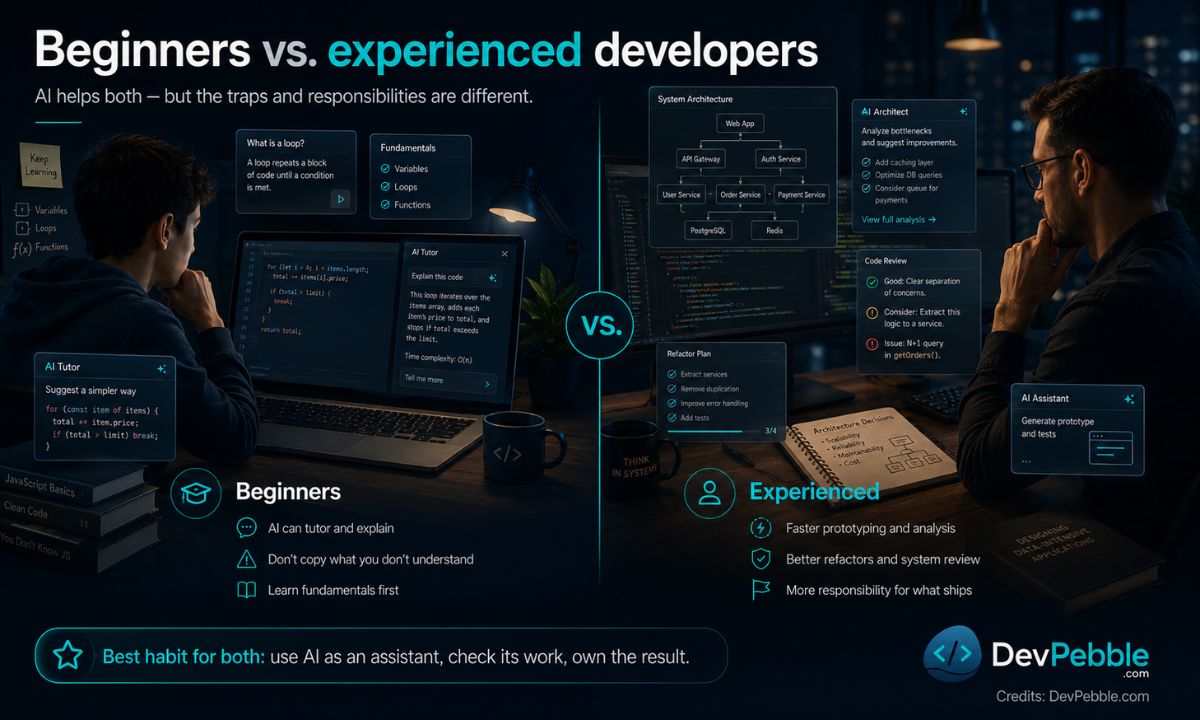
The tools help both, but the traps are different.
For beginners, AI is a patient tutor that explains things on demand. The trap is copying code you don't understand, which skips exactly the struggle that teaches you to solve problems. Learn the fundamentals first, then let AI tutor you. If you're putting projects in a portfolio, understand every line you ship.
For experienced developers, it's a force multiplier: faster prototyping, quicker codebase analysis, easier refactors, plus an extra set of eyes on system-level decisions and generated code. The flip side is that the responsibility goes up, not down. Senior people increasingly steer AI-assisted teams and own whatever ships.
The habit that works for both is the same. Treat AI as an assistant, check its work, stay on the hook for the result.
Salaries and job openings
Nobody can really predict salaries, and the outcomes are all over the map, so take this as a balanced read rather than a forecast.
Demand will probably grow for AI-related roles while expectations for traditional ones shift around. People who combine real domain knowledge with AI skills look especially valuable right now. Meanwhile, routine coding jobs may feel some squeeze. It varies by country, experience, specialization, and industry. There's no one trend that fits everyone.
Worth saying plainly: being more productive doesn't automatically pay more. Markets, budgets, and competition all get a vote.
New openings are showing up around AI integration, model evaluation, data engineering, security, and AI governance. That work rewards people who understand both software and the AI systems sitting on top of it.
Where this is heading
The likely future is people and AI working together, each on what it's better at, not one replacing the other.
Routine coding keeps drifting toward automation, so programmers lean harder into defining the problem, designing the system, and weighing trade-offs. Security, ethics, reliability, and accountability all get more important, not less. Teams will probably keep getting smaller while shipping more. And through all of it, the field still needs people who understand context, users, and consequences. Being adaptable will likely beat mastering any one tool, since the tools won't sit still.
Three things worth doing. Build your fundamentals, because they outlast every tool. Get good at using AI, then verify everything it gives you. And develop judgment, communication, and one area you know deeply.
The short version
The AI effect on programmers is real, but it's not the end of the job. AI automates routine work, speeds things up, and reshuffles which skills count. It also brings genuine risks around accuracy, security, and leaning on generated code too hard.
Individual tasks are changing far faster than the profession is going anywhere. Treat AI as a capable assistant, keep your fundamentals sharp, and you're in good shape for whatever's next. Keep learning, verify what the tools produce, and build the judgment a machine can't fake.
At DevPebble, we lean on AI to move faster on web development and cloud projects — but every line still gets a human review before it ships. If you're planning something and want a team that uses these tools carefully, reach out.